

https://llm.atxp.ai as the base URL and your ATXP connection string as the API key.
1
Set up your account
Visit your ATXP account dashboard and copy your account connection string. It should look something like this:
2
Configure your desktop application
We’re going to use Goose as an example, but you can use any desktop application that supports OpenAI-compatible providers.In Goose, navigate to Settings → Models → Configure Providers.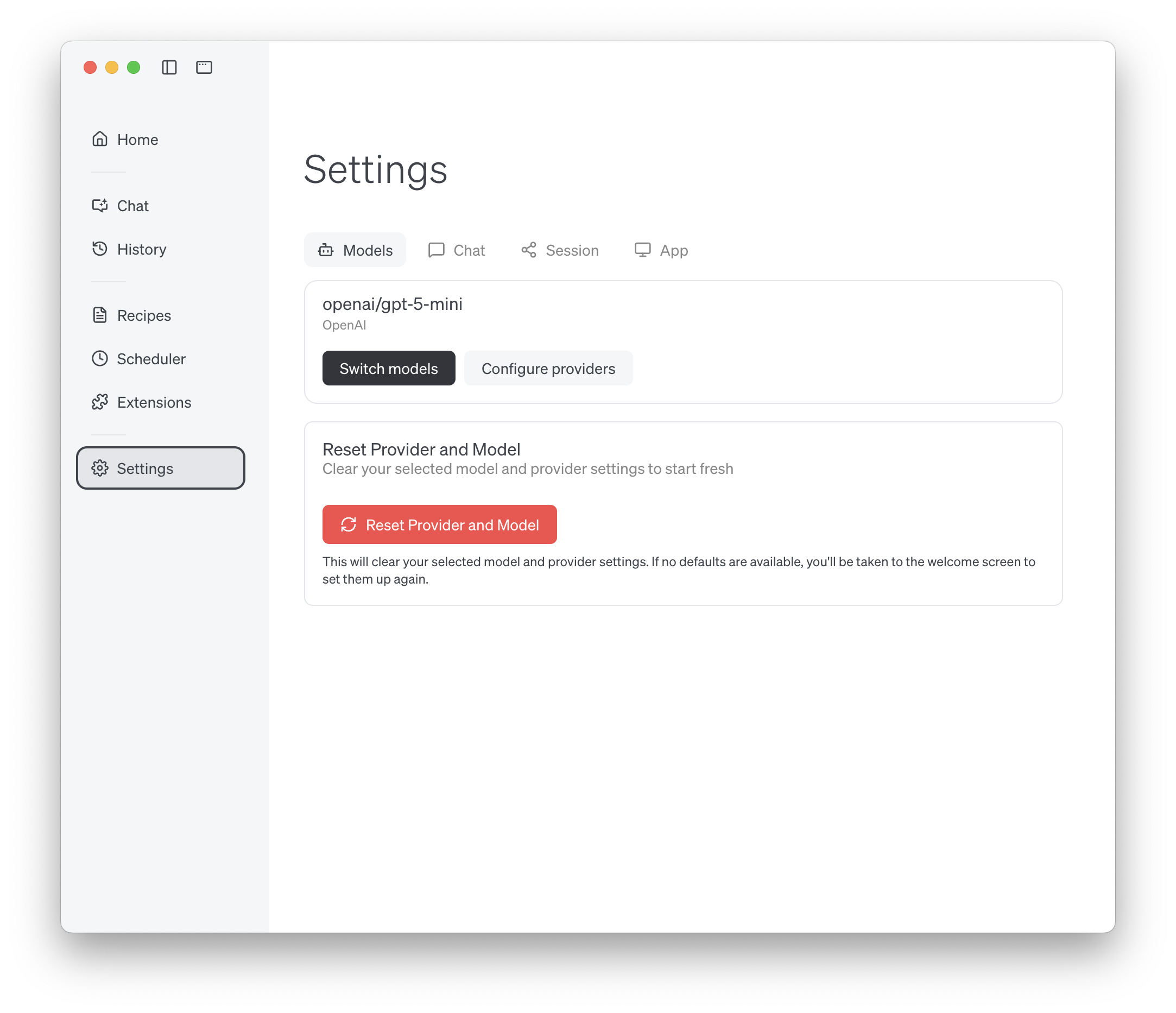
3
Add a Custom Provider
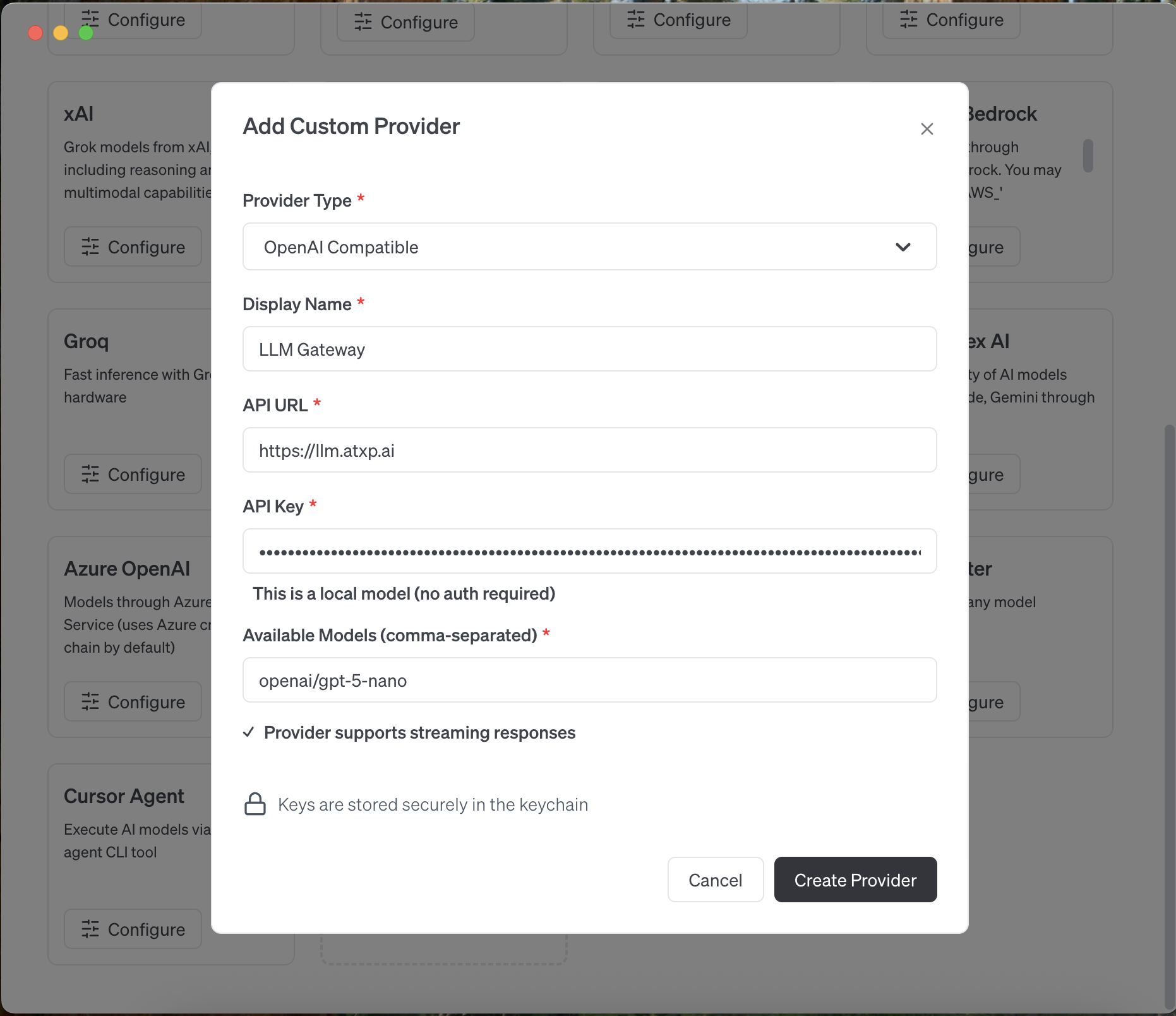
Select Add Custom Provider from the list of providers.Configure the OpenAI provider with these settings:
- Provider Type: OpenAI Compatible
- Display Name: LLM Gateway
-
API URL:
https://llm.atxp.ai - API Key: Your ATXP connection string
-
Available Models: openai/gpt-5-nano note: Goose requires this field, but will load all the available models from the gateway when you Switch models
4
Switch models
Navigate to Settings → Switch models to select from the available models provided by the ATXP LLM Gateway.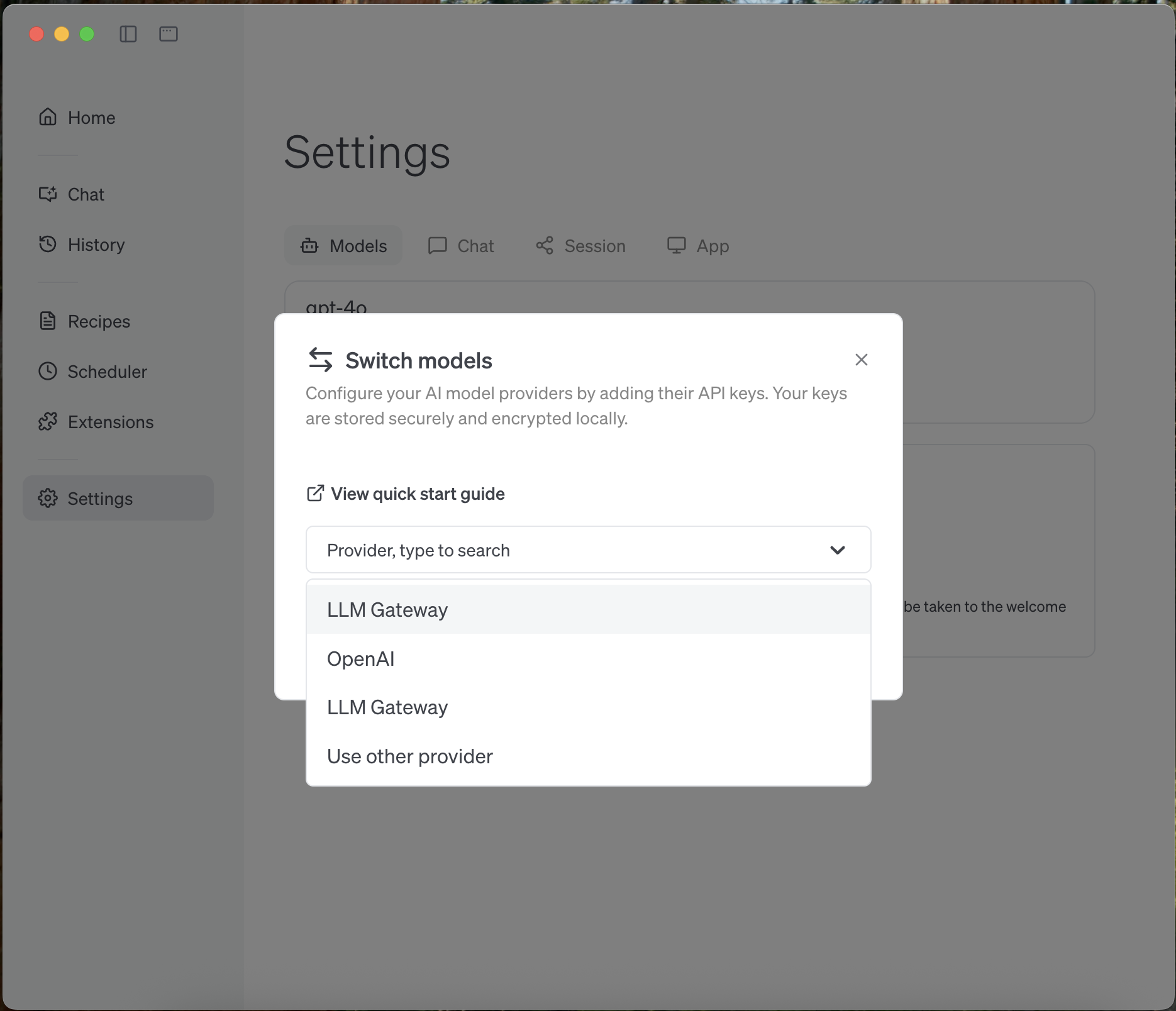
5
Start chatting
You can now use any of the available models provided by the ATXP LLM Gateway in your desktop application. Open a new chat to get started!